For a long time, my developer routine when faced with a new need came down to this: I looked for a solution, I found the right tool on pub.dev, I typed flutter pub add... and I moved on. We are so used to consuming these libraries for free that we almost forget the unknown author who took the time to develop them.
But when there was no miracle package, I fell back into another routine well known to developers: the famous utils.dart file or the specific Widget that we drag from one project to another.
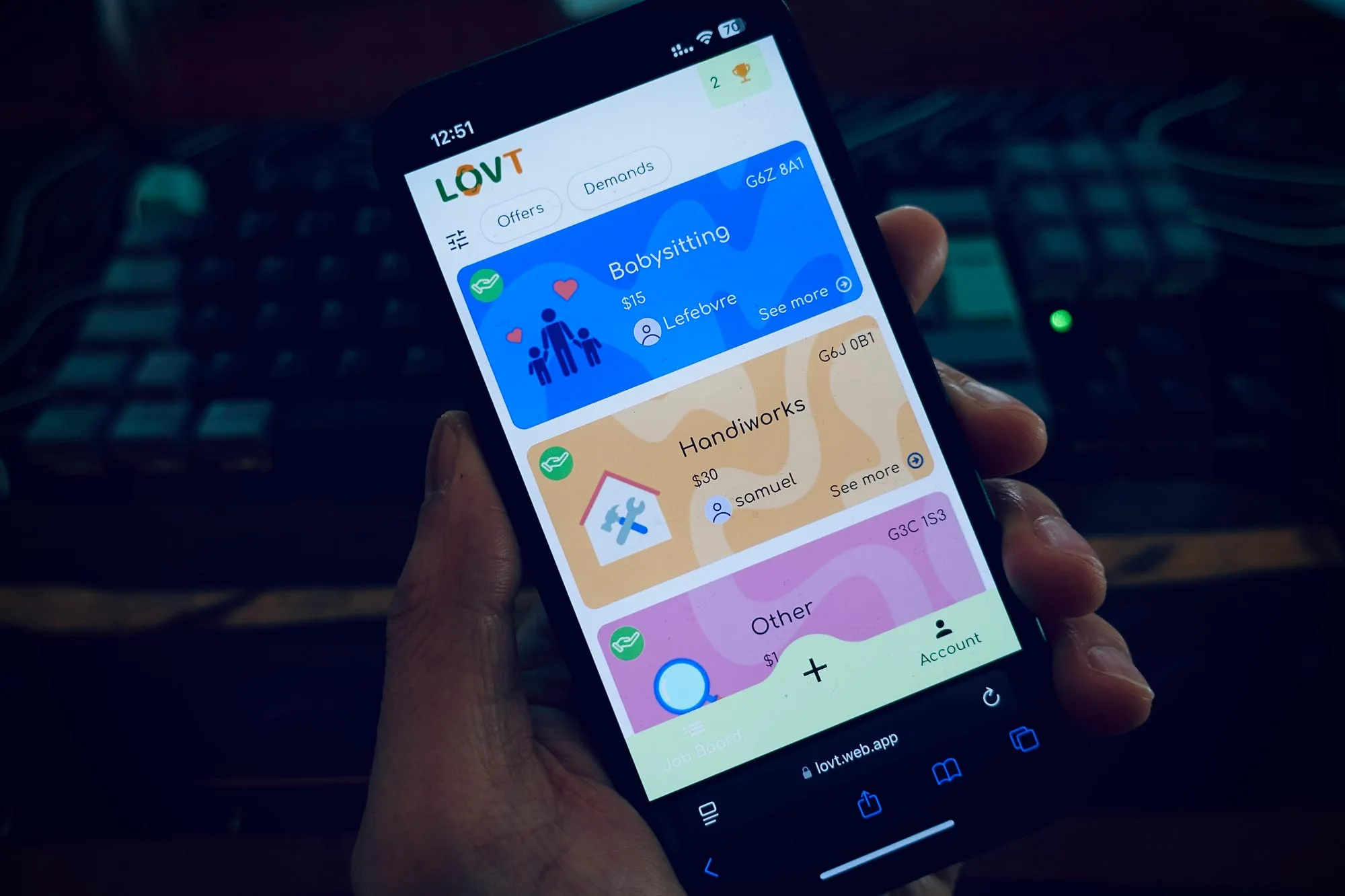
For me, it was managing the installation of my PWAs (Progressive Web Apps). I first coded it for a side-project then included it in my LOVT app, then I copied it for a client mission and so on.
Until the day I had to fix a bug on iOS detection in project A, and I realized with weariness that I had to go apply this same fix manually in projects B and C.
That was the signal.
 Developer copy-pasting code between Flutter projects
I spent years taking advantage of the community's open source work (thanks to the maintainers of url_launcher or device_info_plus who save my life on a daily basis). It was time for me to "return the elevator" and transform my personal "hack" into a clean, centralized, and shareable solution.
Here is the story of my first package on pub.dev.
The problem: The nightmare of PWAs and "In-App Browsers"
If you read my previous article on PWAs, you know that I love this technology for its deployment speed. But it comes with two major pains for the user experience:
- Installation is invisible: On iOS (and sometimes Android), there is no magic "Install" button. You have to explain to the user to click on "Share" then "Add to Home Screen". Without a visual tutorial, no one does it.
- The social network trap (In-App Browsers): This is the critical point. If a user clicks on your app's link from Instagram, TikTok, or Facebook, your PWA opens in their internal browser.
- Consequence 1: Cookies and sessions often drop.
- Consequence 2: Permissions (camera, microphone, geolocation) are often blocked or bugged.
For an app like mine that requires access, it's fatal. The user thinks the app doesn't work.
 PWA not working in an in-app browser
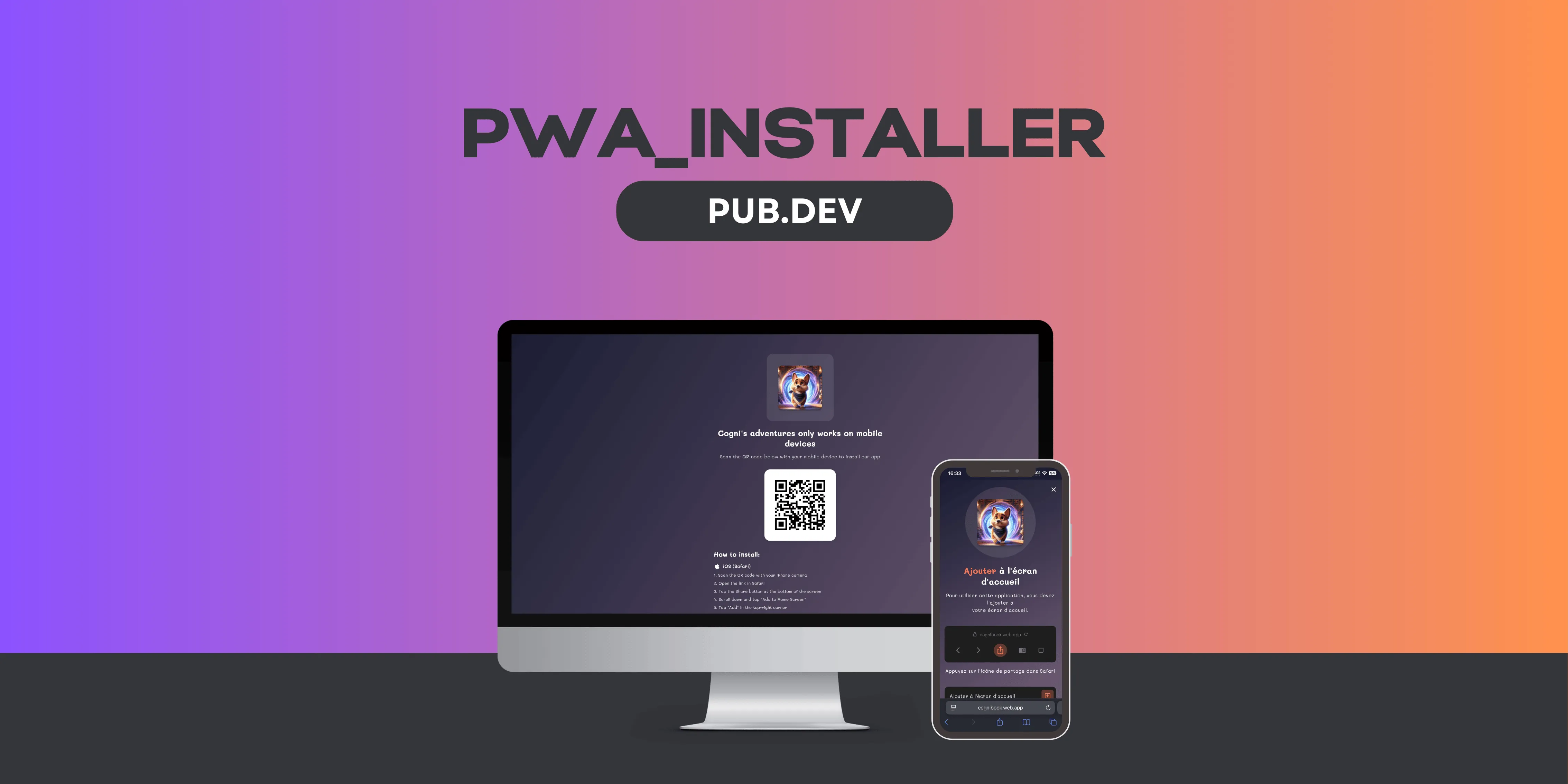
The solution: pwa_installer
So I decided to create a package that handles all this automatically.
The goal was simple: offer a single Widget that detects the user's environment and acts accordingly.
- On a classic browser (Chrome/Safari): It displays a beautiful instruction page adapted to the OS (iOS or Android) to guide the installation.
- On a Desktop: You can choose to block access ("Mobile only") or let them use the application without having to install it.
- On an In-App Browser (TikTok/Insta): It detects the User Agent and proposes (or forces) a redirection to the system browser (Chrome/Safari) to guarantee that the app works.
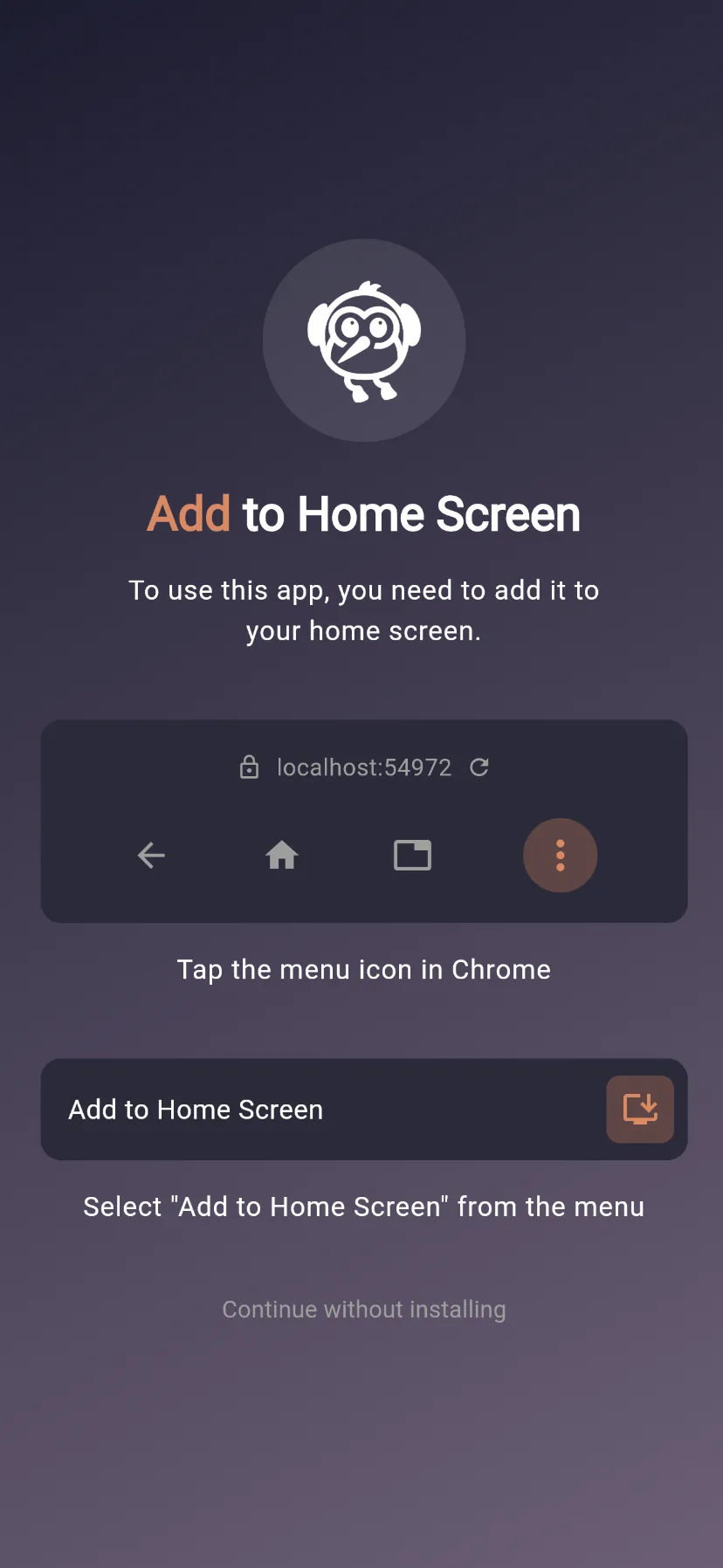 PWA install prompt guide for Android devices
 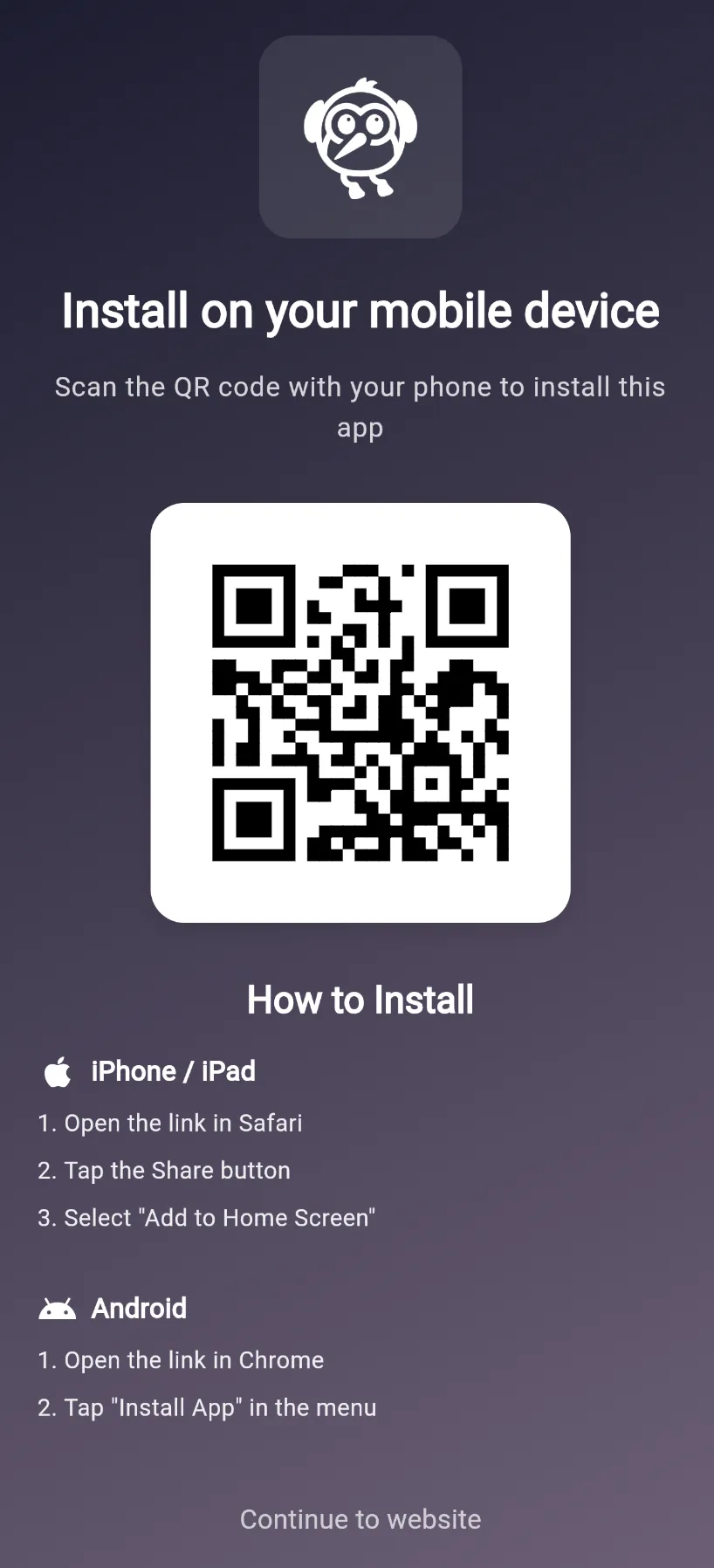 Desktop QR code to redirect users to mobile PWA
 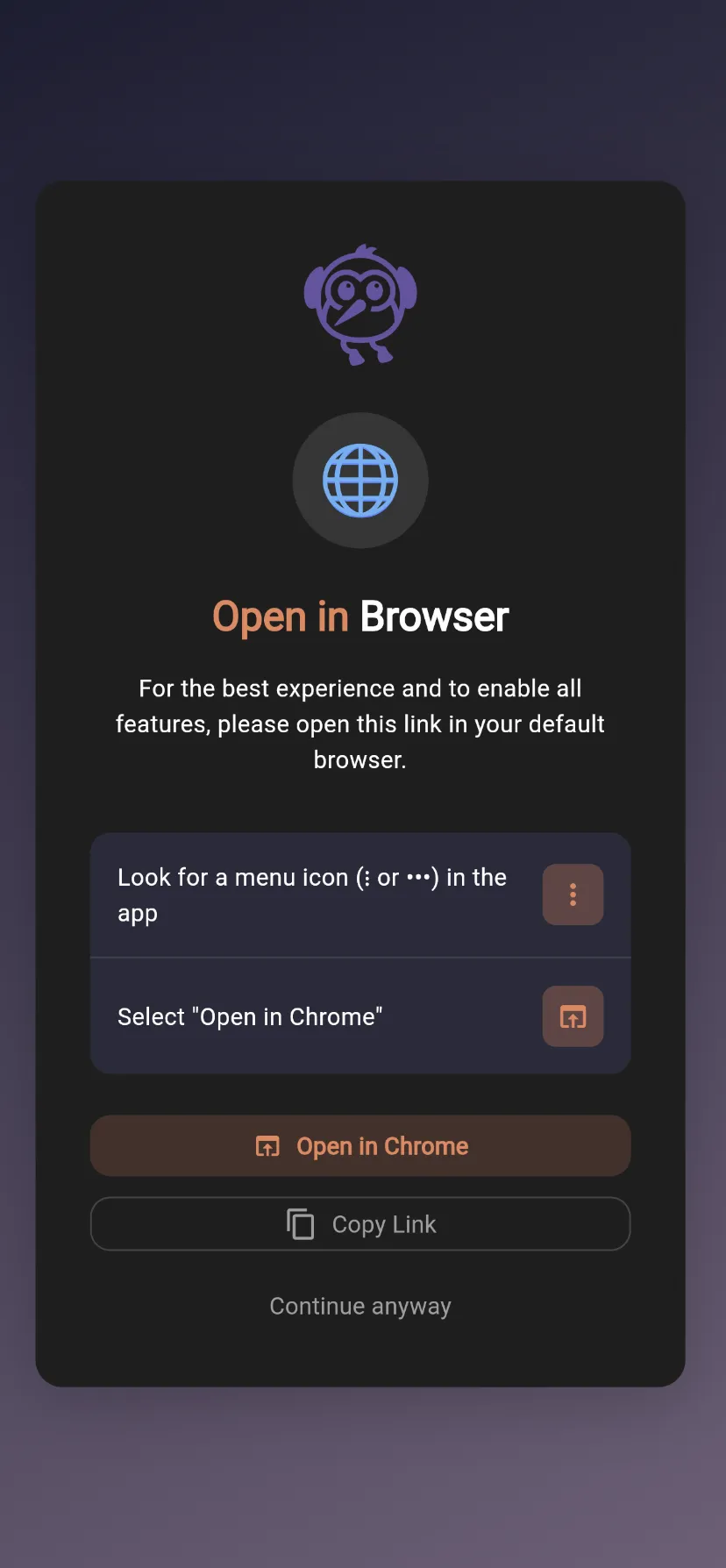 In-app browser detection and redirect to system browser
Demystification: A package is just code
After researching how to publish a package, I realized that it ultimately wasn't that complicated. The structure is the same as for a classic Flutter application:
- A
pubspec.yamlfile - A
libfolder - Dart code.
That's it. Any developer can do it, even a junior. The barrier is not technical, it is psychological.
The challenge of Abstraction
This is where things get tough. When this code was in my LOVT project, it was "hardcoded": the LOVT logo, LOVT colors, and LOVT texts.
To make it a library, I had to do a lot of abstraction work. This translated into four main axes.
The logo: a Widget?, not a String. The first temptation would have been to accept a path to an asset. But that's too restrictive — every app loads images differently (assets, network, SVG…). By accepting a Widget?, we let the app pass whatever it wants. If null, the area is simply omitted.
The labels: PwaInstallerLabels and the copyWith pattern. i18n is often the poor cousin of UI libraries. The PwaInstallerLabels class centralizes the 30+ required strings (iOS 26+, iOS legacy, Android, Desktop QR…) with English defaults. The copyWith pattern lets you override only what you need, without rewriting the entire object.
The theme: three levels of customization. PwaInstallerTheme offers two ready-to-use presets (defaultTheme dark, lightTheme), a fromContext factory that automatically reads the app's Material ColorScheme, and a copyWith to adjust any token (color, gradient, borderRadius, padding).
Custom screens: builder functions. For cases where the theme isn't enough, each screen can be fully replaced. The onDismiss passed as a parameter is null when forceInstall: true — that's the signal to hide the "Continue without installing" button.
dart35 lines1PwaInstaller.init( 2 // forceInstall: true = the user is blocked until installation. 3 // They cannot access the app from the browser. 4 forceInstall: true, 5); 6 7runApp( 8 MaterialApp( 9 home: PwaInstaller( 10 // You can pass whatever you want: Image.asset, SvgPicture, NetworkImage... 11 logo: Image.asset('assets/logo.png'), 12 appName: 'My App', 13 14 // Inherits the app's Material theme (defaultTheme / lightTheme) 15 // but individual values can also be overridden with copyWith(). 16 theme: PwaInstallerTheme.fromContext(context).copyWith( 17 accentColor: Colors.deepPurple, 18 ), 19 20 // All view labels can be overridden with copyWith(). 21 // Ideal for translating into multiple languages. 22 labels: const PwaInstallerLabels().copyWith( 23 titleAdd: 'Add ', 24 titleToHomeScreen: 'to Home Screen', 25 ), 26 27 // If the theme isn't enough, the entire screen can be replaced. 28 customMobileScreen: (context, onDismiss) => MyCustomInstallScreen( 29 onDismiss: onDismiss, 30 ), 31 32 child: MyHomePage(), 33 ), 34 ), 35);
This is the most technically interesting step: moving from "product" code to "tool" code. Every design decision — Widget? over String, copyWith over a 30-parameter constructor, builder functions for custom screens — is a conscious choice to keep the API simple on the surface while remaining flexible in depth.
The "Pre-Flight Checklist": My checks before takeoff
Publishing on pub.dev implies a certain rigor that I imposed on myself. You don't publish "dirty" code. Here is the checklist I followed to be as professional as possible:
1. The ruthless Linter 🧹 I configured my analysis_options.yaml file to be strict. The goal: zero warnings. No unused variables, no forgotten prints. Clean code inspires confidence.
2. The Documentation (The real one) 📚 There are two types of docs and both are essential:
- The
README.md: This is the marketing showcase. I included Gifs, screenshots, and a "Copy-Paste" example so the user understands what the lib is for in 10 seconds. - The Dart Doc (
///): I documented every public property. This is what allows your IDE to display help when you hover over a variable.
3. The example folder is not an option 📱 For a visual library like mine, the example folder is vital. I had to create a complete mini-app inside the package. It's extra work, but it allows developers to clone the repo and test the redirection or display immediately.
4. The hunt for "Pub Points" with Pana 💯 The pub.dev site awards a score out of 140 to your package. This score is calculated by a tool called pana. I ran it locally several times to fix small details (code formatting, description length) and aim for the 130+/140 score upon release. It's a guarantee of quality for those who discover the library.
5. The safety net: Dry Run 🚀 Before pressing the red button, the magic command: flutter pub publish --dry-run It simulates the publication and verifies that everything is green. It's the last check before the big jump.
Conclusion
That's it, it's online.
 Flutter package published on pub.dev
Seeing your name and your package on the pub.dev list brings a particular satisfaction. It's a mix of pride and humility.
I know this is only a V1 and there might be edge cases I haven't covered. But that's the Open Source game. I'm ready to receive feedback and Issues on GitHub.
"If you develop PWAs with Flutter and you encounter difficulties with installation or In-App browsers, go take a look at pwa_installer. I hope it will save you as much time as it did for me."
Happy coding! 🚀
- The package: https://pub.dev/packages/pwa_installer
- GitHub repo: https://github.com/KooliFab/pwa_installer